Technical background on disinfectable computer input devices
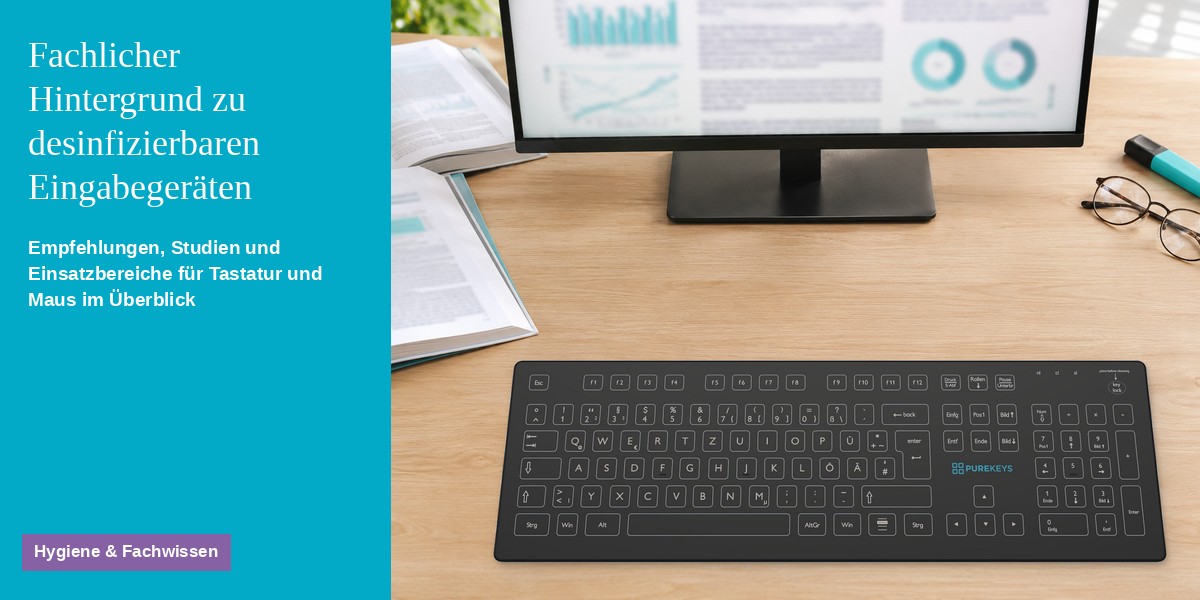
Keyboards and mice: balancing digitalisation and hygiene requirements
At computer workstations in medicine, nursing, laboratories, pharmacy and many production areas, patient records are managed digitally, findings are documented, laboratory processes are controlled and production data is recorded. However, this also brings two everyday elements into focus: Keyboard and computer mouse.
Both are touched by hand very frequently in day-to-day working life. If computers are used by several people or are located in rooms where preventing the spread of germs is a priority, this therefore raises a practical question: How can input devices be reliably integrated into existing cleaning and disinfection procedures?
The Robert Koch Institute (RKI) explicitly addresses computer keyboards and touchscreens from this perspective. It states:
“As keyboards and touchscreens are surfaces that are frequently touched by hand, they represent a potential route for the transmission of pathogens.“ [1]
The key phrase here is ‘possible route’. A frequently touched surface is not automatically a relevant source of infection. Its significance depends on the location, the work processes and the risks present there.
The computer mouse is just as much a part of a computer workstation as the keyboard
In discussions about computer hygiene, the focus is often on the keyboard. In day-to-day working life, however, the mouse is touched just as frequently.
The Association for Applied Hygiene (VAH) therefore states, “This applies in particular to the keyboard and mouse“ [3]
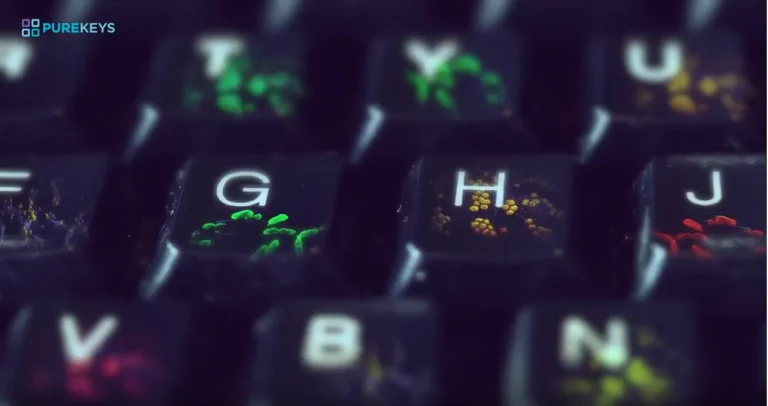
With a standard keyboard, the gaps between the keycaps, recesses and edges make it difficult to clean thoroughly. With conventional computer mice, the joints in the casing, button transitions, textured grip areas and, in particular, mechanical scroll wheels can create areas that are difficult to access.
The problem, therefore, is not so much the presence of individual germs as the practical question: Is the surface designed in such a way that it can, in practice, be cleaned thoroughly and regularly as part of the intended workflow?
The VAH draws attention to this design challenge, particularly in the case of conventional keyboards:
“Conventional keyboards often cannot be reliably disinfected due to their complex design.” [3]
Added to this is the fact that many standard office devices are technically sensitive to liquids. Thorough cleaning, which is desirable for hygiene reasons, may therefore conflict with the manufacturer’s intended use.
What research into keyboard cleaning reveals
A frequently cited study by Rutala et al. examined both the microbial contamination of keyboards and various decontamination methods. In this specific study, the keyboards examined were effectively decontaminated using various methods; at the same time, no functional or cosmetic damage was observed on the devices examined after 300 disinfection cycles had been carried out. [4]
The authors summarised their findings as follows:
“Our data suggest that microbial contamination of keyboards is prevalent and that keyboards may be successfully decontaminated with disinfectants.” [4]
The results should not be generalised to apply to every keyboard model currently available and every disinfectant. However, they do highlight an important correlation: Cleaning procedures and equipment design must be compatible.
For practical use, therefore, the manufacturer’s instructions for the equipment, the information provided by the disinfectant manufacturer and the relevant hygiene or cleaning plan should always be followed.
Contamination does not automatically mean a risk of infection
It is well documented scientifically that keyboards, mice and other computer peripherals can be contaminated with microbes.
A systematic review by Ide et al. analysed 75 studies involving a total of 2,804 computer devices from healthcare facilities. The items examined included keyboards, mice and mouse pads, as well as complete computer workstations. Contamination rates varied considerably between the individual studies. In addition to typical skin flora, potentially pathogenic microorganisms were also detected in some studies. [2]

However, it is at least as important for putting this into context that the detection of micro-organisms on a keyboard or mouse is not synonymous with the detection of an infection caused by them.
A reasonable conclusion might be: Keyboards and mice are frequently touched surfaces; they can become contaminated and should be included in hygiene and cleaning procedures where a risk assessment indicates this is necessary.
The computer workstation should be regarded as a single unit
An approach that focuses exclusively on the keyboard therefore often falls short. In everyday medical practice, for example, a typical sequence of operations might involve moving between the patient, medical equipment, keyboard, mouse, touchscreen and work surface. Similar shifts take place in laboratories between samples, gloves, work surfaces and computers, or in production areas between machinery and operator terminals.
A keyboard that is easy to wipe clean, used alongside a “normal” computer mouse with a scroll wheel and numerous gaps in the casing, therefore only solves part of the practical problem.
In addition to keyboards and mice, touchpads, trackballs, touchscreens, scanners or the controls on medical devices may also be relevant to hygiene, depending on the workplace.
Computer workstations that meet hygiene standards should therefore, where possible, be regarded as an integrated system.
Medicine and Care: Ease of cleaning is particularly important in areas close to patients
It makes particular sense to consider disinfectable input devices in situations where computers are directly integrated into processes carried out in close proximity to patients. Some examples include: operating theatres, ward and documentation workstations, intensive care and monitoring areas, diagnostic suites, radiology departments, treatment rooms, nursing workstations, shared computer stations, and many more.
It is not just physical proximity to the patient that is crucial. What is more important is the question of, how the workplace is actually used: Is there frequent switching between patient contact and using the computer? Do different people use the same peripherals? Does the hygiene plan include regular wipe disinfection?
Hand hygiene remains a key measure in preventing infection. Input devices that are easy to clean are not a substitute for this, but may serve as a complementary technical component where appropriate.
Dental practice: Computer technology in the immediate treatment environment
In dental practices, the monitor, keyboard and mouse are often located right next to the treatment unit. This means that these devices must also be taken into account when planning the cleaning of the workstation.
A specific example of how Purekeys is used comes from the Dr Merten & Kollegen dental practice in Verl. There, twelve wireless hygiene keyboards and mice have been installed in treatment, prophylaxis and X-ray rooms. The practice describes the following as key factors for user acceptance: User story both the ease of cleaning and the ease of use of the equipment.
Dr Merten describes the practical background as follows:
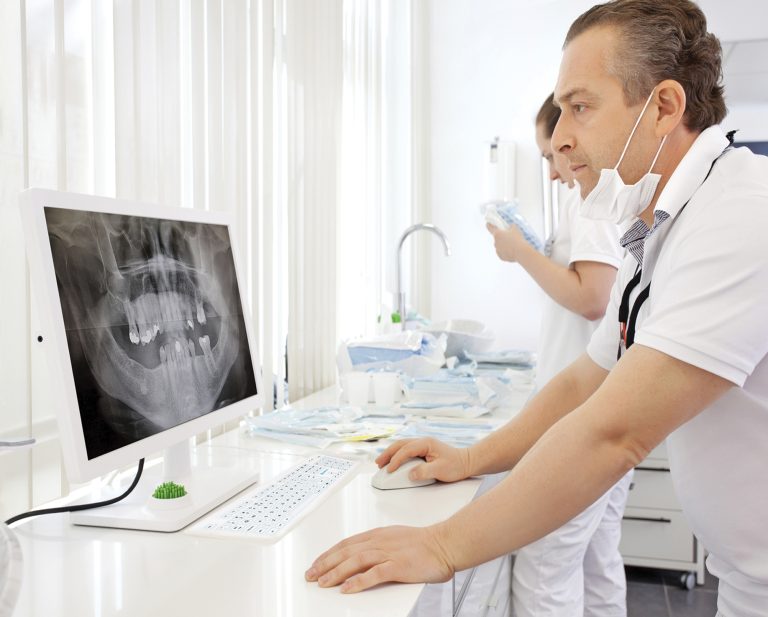
“After every treatment, we disinfect all contaminated work surfaces in this area and, of course, the keyboard as well.”
This user report is not a scientific demonstration of effectiveness. However, it illustrates why the design of an input device can be relevant in practical use: regular cleaning must be possible with as little additional effort as possible.
Laboratories and cleanrooms: When it’s not just people who need protecting
In laboratories, the scope is broader. Here, in addition to staff, samples, materials and work processes may also need to be protected from unwanted contamination.
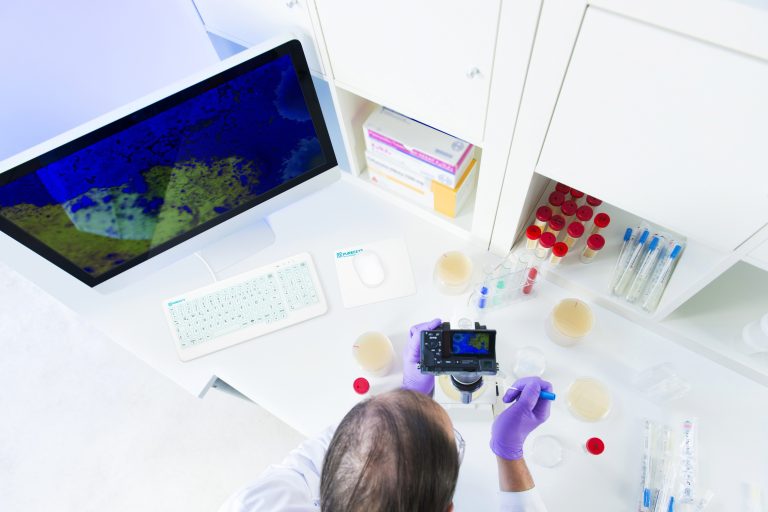
Computers and input devices are very often part of laboratory equipment. If the keyboard and mouse are operated whilst wearing gloves, if users change frequently, or if the devices are located within designated cleaning areas, a surface that is easy to clean can offer advantages.
An example of this in practice can be found in the cleanroom laboratory at ABF Pharmacies. There, Purekeys keyboards and mice are used on a computerised production line. The user report particularly highlights the ease of cleaning, the ability to operate the devices whilst wearing laboratory gloves, and the option to temporarily deactivate the keyboard during cleaning.
The deputy team leader says of the cleaning procedure that she “simply presses the pause key, which disables the keyboard functions. Then I wipe it down with an isopropyl alcohol wipe. That’s it.”
This example of a specific application within a workplace does not, of course, allow for any general conclusions to be drawn regarding clinical or microbiological efficacy. What is more interesting, however, is which characteristics prove to be practically relevant in day-to-day cleanroom operations: surface accessibility, ease of use whilst wearing gloves, and the straightforward integration of cleaning into the work process.
Food production: Same design issue, different safety objective
The issue of computer peripherals that are easy to clean is not limited to the medical and laboratory sectors.
Modern food processing plants are monitored and controlled digitally. Input devices can therefore also be used within hygienically controlled production areas.
The European Food Hygiene Regulation stipulates, as a general rule, that relevant surfaces of equipment should
“easy to clean and, if necessary, to disinfect” [5]
The regulation does not specify any particular computer mouse or keyboard. However, the underlying principle also applies to input devices: where technical equipment forms part of a production environment that is cleaned regularly, its design should not make cleaning unnecessarily difficult.
A Purekeys case study from AGRANA Stärke GmbH illustrates one such application in food production. There, disinfectable keyboards and computer mice were used at production workstations. In the User story Among other things, regular wipe disinfection and suitability for use in shift work are described as selection criteria.
Shared workspaces: A question of risk assessment
Not every shared computer automatically requires a special hygiene keyboard or a disinfectable mouse. An administrative workstation with only a few regular users should be assessed differently from a ward computer, a laboratory workstation or a terminal within a production environment.
Factors to be taken into account include the number of users, frequency of use, potential routes of contamination, cleaning requirements and the consequences of any potential spread of contamination. This means that areas of application outside traditional medical settings may also arise – for example, in care homes, diagnostic centres, research facilities, shared workspaces or certain industrial production areas.
When is it a good idea to use a disinfectable keyboard and mouse?
A number of practical questions can be drawn up for those responsible for hygiene, IT departments, practice and clinic management, and procurement:
- Is the computer located in an area close to patients, in a laboratory, in a pharmaceutical setting or in a production-critical area?
- Do several people use the same keyboard and mouse?
- Is there frequent switching between the patient, the sample, the product and operating the computer?
- Is regular cleaning or disinfection of the input device required?
- Can all the frequently touched areas of the existing keyboard and mouse actually be reached?
- Is the device compatible with the cleaning and disinfectant products intended for use on site?
- Is the input device regularly operated whilst wearing gloves?
- Does cleaning need to be carried out quickly between work cycles or between users?
- Could liquids or other contaminants get onto the input device?
The more of these factors that come together, the more sensible it may be to incorporate input devices specifically designed for regular cleaning into workplace planning.
What makes a keyboard easy to disinfect?
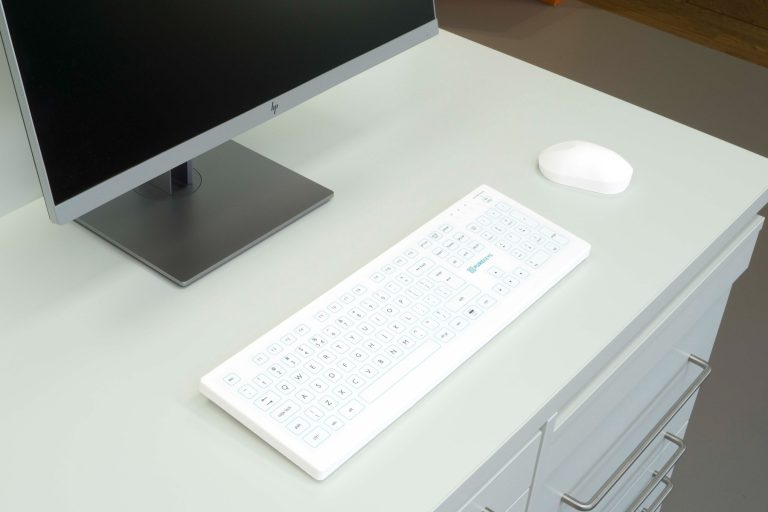
The key design requirement is, at first glance, simple: a surface should be as accessible as possible. For a hygiene keyboard, therefore, a closed or largely closed surface, minimal gaps, protection against liquids and material resistance to the intended cleaning methods may be relevant.
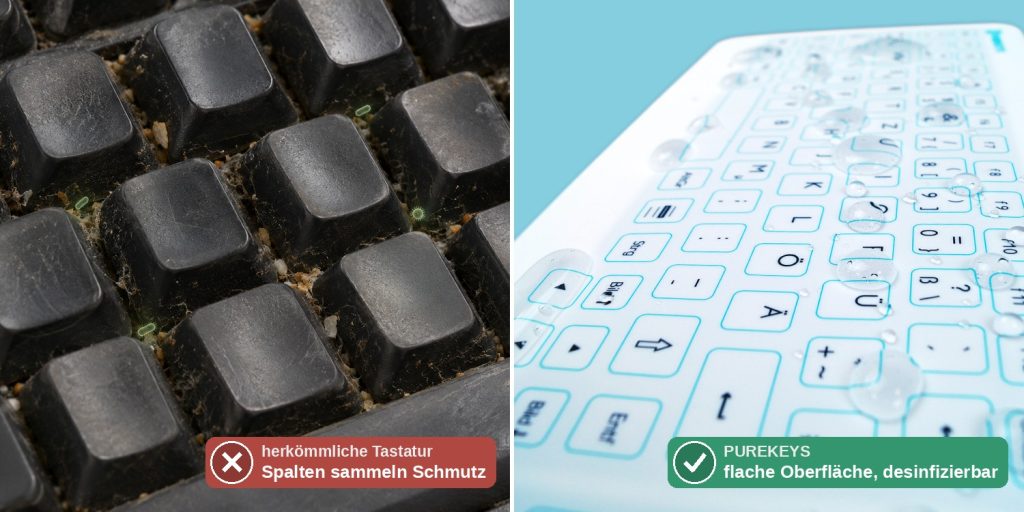
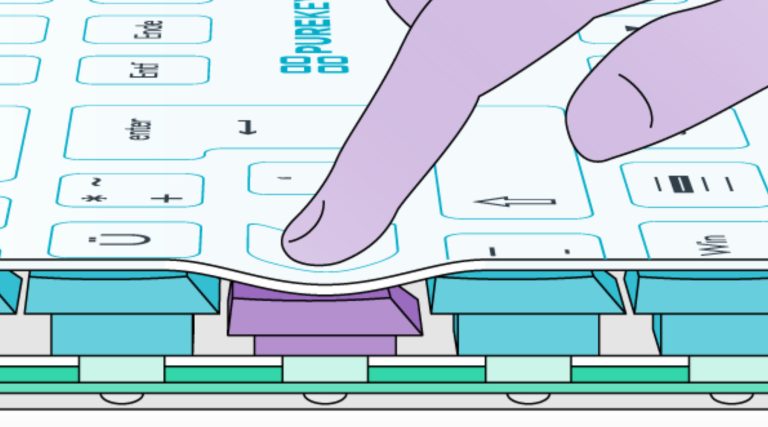
The second requirement relates to usability. In theory, a piece of equipment may be extremely easy to clean – but if doctors, nurses, laboratory staff or other staff members find it slow and error-prone to use, a new practical problem arises.
Whilst ease of cleaning and ergonomics should be balanced, the key criterion for a hygiene keyboard is, after all, the ability to clean it particularly quickly, thoroughly and easily, which should integrate seamlessly into work processes.
And what is important when it comes to a mouse that can be disinfected?
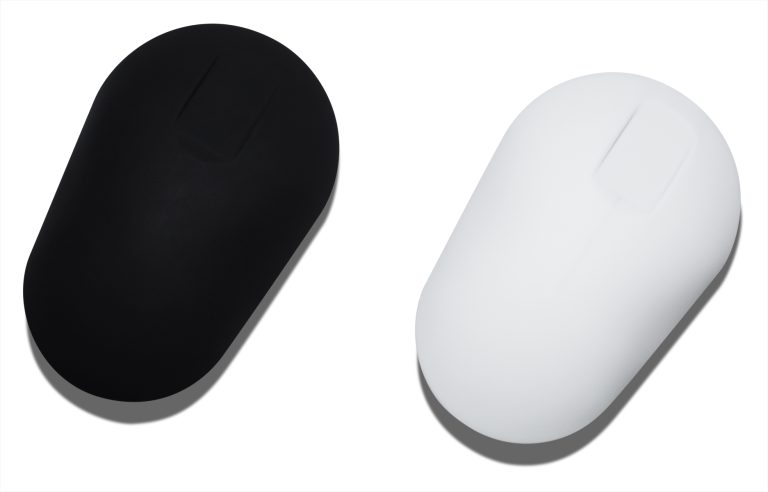
In terms of design, the mouse presents a number of different challenges. With standard models, there are areas that are difficult to reach, particularly due to gaps in the casing, mechanical buttons and scroll wheels. At the same time, the mouse is constantly being moved.
When choosing a hygiene mouse, the key questions are similar to those for a keyboard: Can the surface be disinfected thoroughly and quickly? Are there any controls that are difficult to clean? Is the material compatible with the intended disinfectants? And does the device remain comfortable and precise to use despite its hygienic design?
Material compatibility is part of the hygiene concept
“Disinfectable” does not automatically mean, for every model of hygiene keyboard on the market, that any disinfectant can be used in any concentration or by any application method. Disinfectants differ in terms of their active ingredients, concentrations and prescribed contact times. Materials react to them differently. Even with input devices designed for this purpose, it is therefore essential to follow the instructions for the respective device as well as the instructions for use provided by the disinfectant manufacturer. It is therefore not a matter of disinfecting as frequently as possible or using the most aggressive agents possible. What matters is a a well-defined cleaning process that is compatible with the materials and can be replicated in everyday use.
Purekeys devices can be disinfected using either a spray or a wipe. We recommend wipe disinfection using a product suitable for the specific area of use and expressly refer to the facility’s hygiene plan. Further information on suitable products and procedures can be found here on this page in the ‘Questions & Answers’ section under Cleaning and Disinfection.
Conclusion: Thinking of the keyboard and mouse as a single unit
The scientific literature shows that computer input devices in healthcare settings may be contaminated with microbes. It also shows that a direct link between the contamination of an input device and specific infections is not an inevitable consequence.
In situations where specialised hygienic computer input devices are required, the sources agree that their design should make cleaning or disinfection as simple and reliable as possible.
It is important to bear in mind that the mouse is an integral part of this consideration. A keyboard that is easy to wipe clean, when used in combination with a standard mouse that is difficult to clean, means that a significant proportion of the computer peripherals that are frequently touched is overlooked.
Two criteria are particularly important here: a design that is as easy and thorough to clean as possible, as well as a level of usability that does not present any unnecessary obstacles in day-to-day workflows.
The basic principle can be applied across a range of sectors – from hospitals and dental practices to laboratories, cleanrooms and food production:
Sources and further information
[1] Robert Koch Institute (RKI): Hygiene when using computers and touchscreen devices in patient care, as at 27 February 2026.
Original source: RKI
[2] Ide N., Frogner B. K., LeRouge C. M., Vigil P., Thompson M. (2019): What’s on your keyboard? A systematic review of the contamination of peripheral computer devices in healthcare settings. BMJ Open 9.
Original article in BMJ Open
[3] Association for Applied Hygiene (VAH): Disinfecting keyboards in doctors’ and dentists’ surgeries, Hygiene & Medizin 45, 3/2020.
VAH Technical Information and Original Text
[4] Rutala W. A., White M. S., Gergen M. F., Weber D. J. (2006): Bacterial contamination of keyboards: efficacy and functional impact of disinfectants. Infection Control & Hospital Epidemiology 27(4):372–377.
Abstract and bibliographic details on PubMed
[5] European Parliament and Council: Regulation (EC) No 852/2004 on the hygiene of foodstuffs, Annex II.
Consolidated original text on EUR-Lex
Purekeys – technical product information: Cleaning keyboards and hygiene mice, the CLEAN/Pause function and current product variants.
Purekeys: questions and answers about cleaning and disinfection
Purekeys: Hygiene mice and technical specifications
Further specialist sources
- Robert Koch Institute (RKI): Hygiene when using computers and touchscreen devices in patient care
https://www.rki.de/DE/Themen/Infektionskrankheiten/Krankenhaushygiene/Infektionshygiene-A-Z/C/Computertastatur/computertastatur-node.html - Association for Applied Hygiene (VAH): Disinfection of Keyboards in Medical and Dental Practices, Hygiene & Medicine 45, 3/2020
https://vah-online.de/files/download/vah-mitteilungen/30_31_VAH_F%26A_Tastaturen_HM_3_20.pdf - Ide N. et al., 2019: What’s on your keyboard? A systematic review of contamination of peripheral computer devices in healthcare settings, BMJ Open 9
https://bmjopen.bmj.com/content/9/3/e026437 - KRINKO/RKI: Hygiene requirements for the cleaning and disinfection of surfaces
https://www.rki.de/DE/Themen/Infektionskrankheiten/Krankenhaushygiene/KRINKO/Empfehlungen-der-KRINKO/Basishygiene/Downloads/Flaeche_Rili.pdf - Rutala W. A. et al., 2006: Bacterial Contamination of Keyboards: Efficacy and Functional Impact of Disinfectants
https://pubmed.ncbi.nlm.nih.gov/16622815/ - Schultz M. et al., 2003: Bacterial Contamination of Computer Keyboards in a Teaching Hospital
https://pubmed.ncbi.nlm.nih.gov/12725363/ - Erasmus V. et al., 2010: Systematic Review of Studies on Compliance with Hand Hygiene Guidelines in Hospital Care
https://pubmed.ncbi.nlm.nih.gov/20088678/ - Federal Institute for Occupational Safety and Health: TRBA 100 – Protective measures for work involving biological agents in laboratories
https://www.baua.de/DE/Angebote/Regelwerk/TRBA/pdf/TRBA-100.pdf - European Commission: EU GMP Annex 1 – Manufacture of Sterile Medicinal Products
https://health.ec.europa.eu/medicinal-products/eudralex/eudralex-volume-4_en - EUR-Lex: Regulation (EC) No 852/2004 on the hygiene of foodstuffs
https://eur-lex.europa.eu/legal-content/DE/TXT/?uri=CELEX:32004R0852 - Blazek M., Justus Liebig University, Giessen: Do computers at patients’ bedsides constitute a source or a vehicle for the transmission of exogenous, nosocomial infectious agents?
https://jlupub.ub.uni-giessen.de/items/06c5d0d3-3ecd-4860-b430-e1746fb0cc50
About Purekeys
Purekeys develops disinfectable computer input devices for professional workplaces in the medical, laboratory and research sectors, as well as other hygiene-sensitive areas. The range includes keyboards in various designs, as well as disinfectable computer mice.
The input devices combine a surface that is as seamless as possible and easy to wipe clean with features designed for everyday use. In the case of keyboards and mice, cleaning functions allow inputs to be temporarily disabled whilst the device is being wiped.
Further information on products, technical specifications, cleaning instructions and examples of use:
https://www.purekeys.de
Press contact
Purekeys / abavital GmbH
Stefan Ernst
Kantstraße 53
04275 Leipzig
Telephone: 0341 58060744
Email: info@abavital.de
https://www.purekeys.de